Your app, ready for its close-up
Screenshot mockups.
App demos in motion.
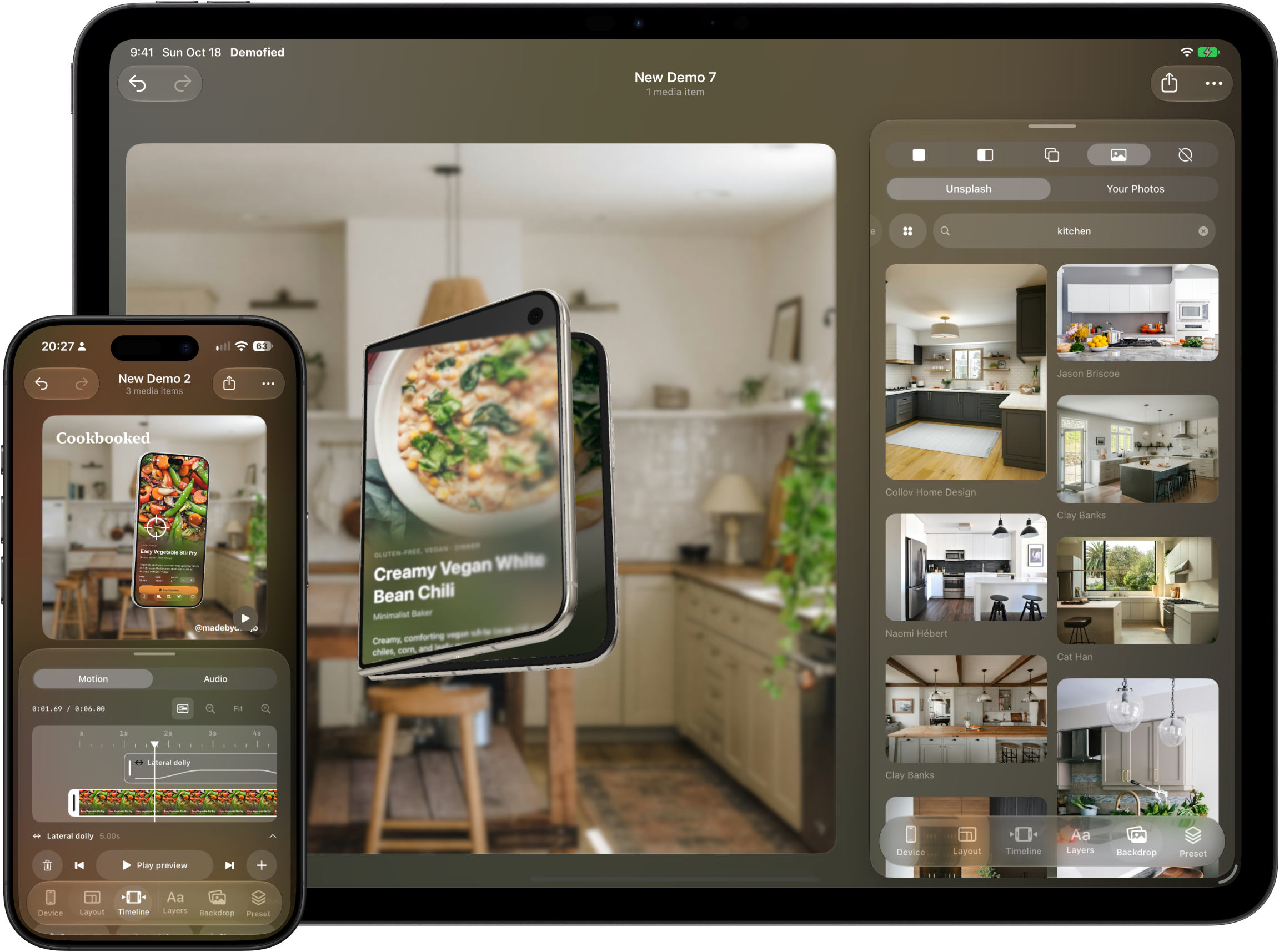
Create screenshot sets, device mockups and animated demo videos from your screenshots and screen recordings. Design your launch visuals right on your iPhone or iPad.
Frame your screenshots in iPhone, iPad, Mac, and Apple Watch devices.
Add camera motion, backgrounds, music, and your own voiceover.
Export PNG images or MP4 videos, with resolutions up to 4K.
Build a screenshot set
Keep multiple canvases in one project. Add headlines and subtitles, copy a style between canvases, and export numbered images for your store listing or portfolio. Use canvas presets or custom dimensions.
Make 3D device mockups
Frame your screenshots in phone, tablet, watch and desktop devices. Adjust finishes, shadows and backgrounds. Use supported 3D models for angled product shots and animated reveals.
Turn screen recordings into demo videos
Trim your recording, adjust playback speed and add camera motion. Add music or a recorded voiceover, then export an MP4 video at resolutions up to 4K and frame rates up to 60 fps.
Start with three free exports
Try the workflow before buying. Choose a 25-export credit pack or Demofied Pro for unlimited exports. Each exported file uses one credit. Purchased credits stay on the device where you buy them and cannot be restored on another device.
Before you create
Which devices can run Demofied?
Demofied runs on iPhone and iPad with iOS or iPadOS 26 or later. The device frames in your designs can represent phones, tablets, watches and desktop displays.
Can I export transparent mockups?
Yes. Select a transparent background and export a PNG to use your device mockup in another design.
Does Demofied work offline?
Local editing and exporting work offline, with no separate account. Optional photo search, initial 3D model downloads and purchases need internet access. Projects and imported media stay on your device.
Need help? Contact Demofied support. Read our privacy policy and purchase terms.